Nov 24, 2025
Exterior Scanning Recommendations
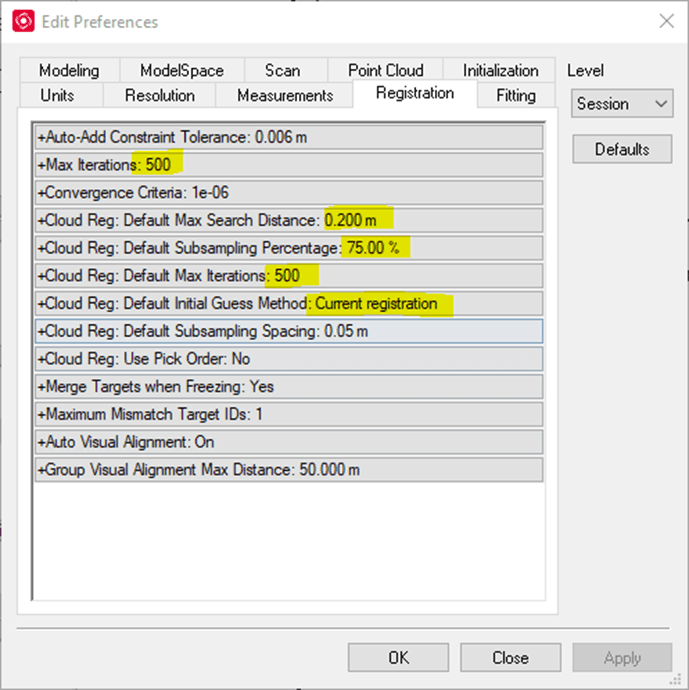
Preferred Cyclone Settings
For most registration projects I use the settings below.
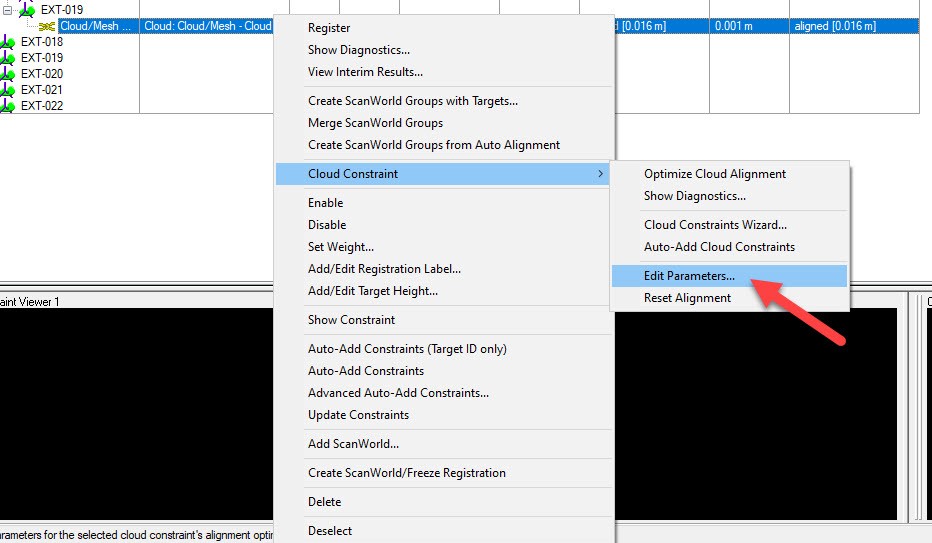
Sometimes I do not get the desired alignment between exterior scans. To improve this situation, I recommend the following:
1. If you are not scanning buildings taller than 10 stories, I would recommend filtering out all the points past the 75m range. The accuracy of the measured data decreases with distance. By limiting the range to 75m you are using higher accuracy data which will result in a better alignment.
2. Clean out foliage in the background. Trees tend to sway in the wind which can affect alignment.
3. Edit the parameters of the bad constraints and re-optimize them.
Improving the field capture
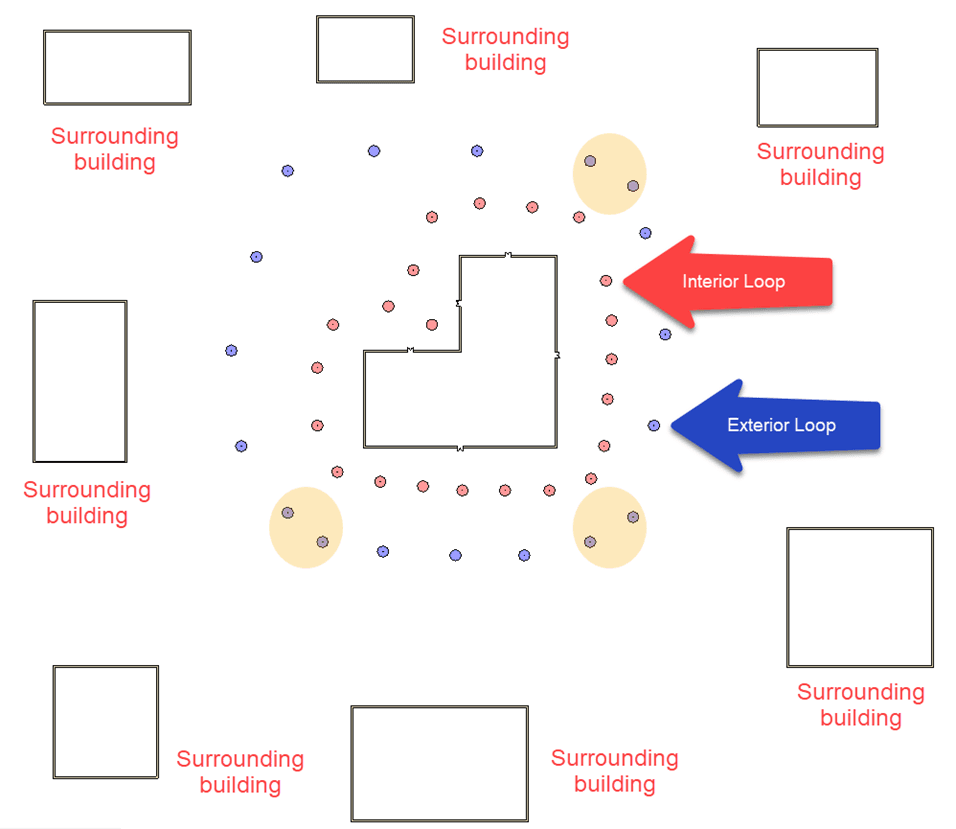
In most cases the registration result is influenced by the site conditions and by the scan station positions. Below I created some diagrams showing the best layout for exterior scanning,
Target building surrounded by other structures
1. In this case you might be able to get away only with C2C constraints if the surrounding structured are no more than 300ft away.
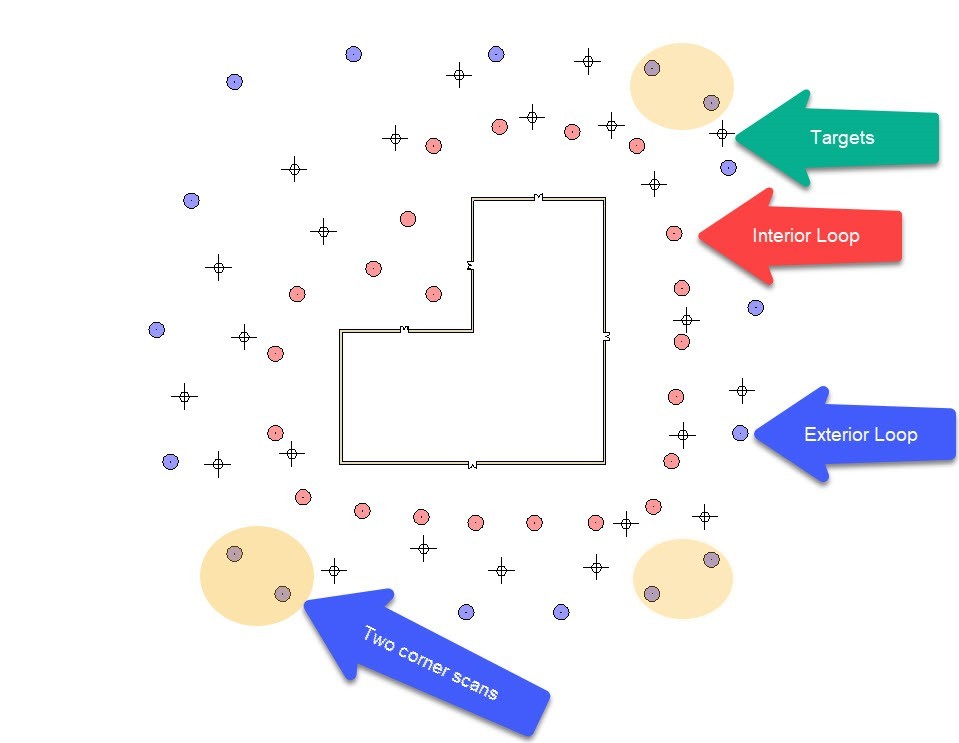
2. I always recommend capturing the exterior of a building using two closed loops. If façade detail is not needed you can capture the building using only the Exterior loop.
3. Exterior Loop – Limit the distance between scan stations to no more than 75ft. Always captured the exterior corners using two scan stations - if possible, position the scan stations so the angle of incidence is greater than 30 degrees.
4. Interior Loop – Limit the distance between scans to no more than 60 ft. To avoid sharp angles of incidence of the laser on the building façade, position the interior loop about 20-30ft away from the building.
Target building surrounded solely by vegetation
1. If there are no surrounding structures to be used for registration, I strongly suggest using targets. I personally prefer spherical targets since you do not have to tilt and rotate them. Place the targets between the Interior and Exterior Loops.
2. When scanning the corners ensure that you can see at least three coincidental targets.
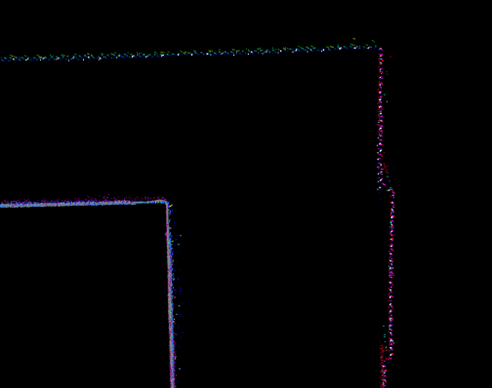
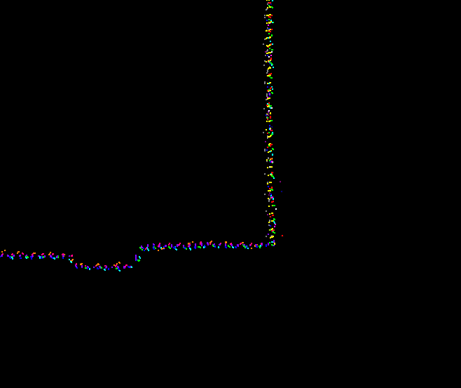
At the end of the registration your building corners should look like in the screenshots below.
 |  |
Introduction
In March 2021 I had the pleasure to be a panelist on the Scan-to-BIM University Webinar. Some of the questions we received after the live session were related to best practices for improving registrations of building exteriors. Since such a topic would have helped me when I started adopting 3D Laser Scanning in 2010, I want to share what I have learned over the last 11 years of scanning.
My hope is that you would benefit from my experience and together we can improve the building documentation practice.
In this post I will only address the best practices to register building exteriors. This post will not cover any information related to how to register building exteriors to interior spaces.
There are many variables that impact the registration results of building exteriors:
1. Instrument of choice
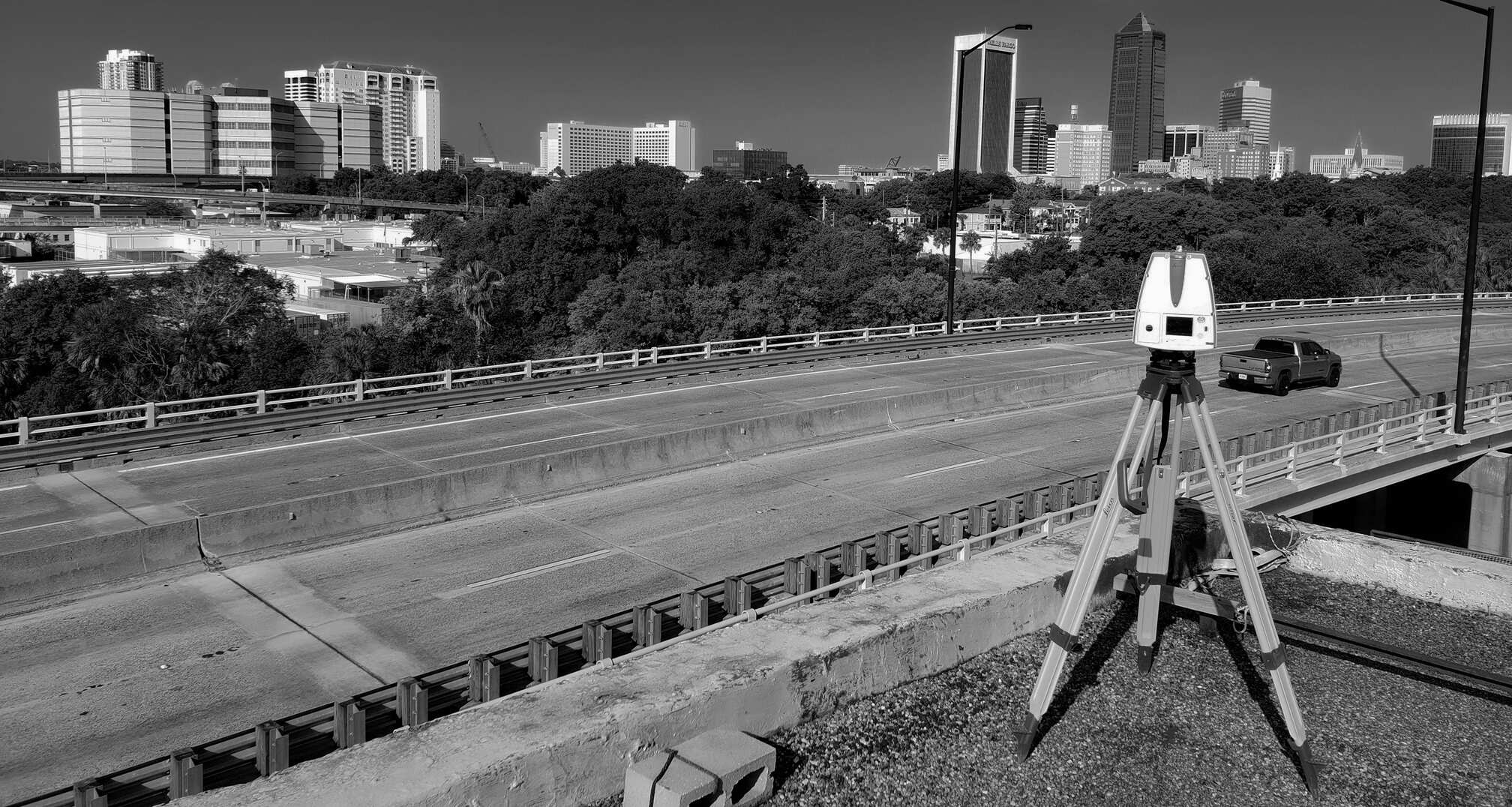
A good registration starts with collected data. When capturing building exteriors, the goal is to minimize the noise levels and to increase measured accuracy relative to distance. We had excellent results using the following instruments: Leica ScanStation C10/P20/P30/P40/P50; RIEGL VZ-400i; Z+F IMAGER 5016.
We also used other scanners, however if the instrument is not designed for long-range, we always recommend decreasing the spacing between stations and performing range clipping at import. Both the spacing and range clipping should be determined based on the instrument’s specifications. For example, when we use the Leica RTC360, the station distance does not exceed 20m (66ft) and the clipping range is set to 75m (246ft).
2. Surrounding environment
Surrounding environments have a big impact on registration results, as well as on field workflows (discussed below).
Foliage can have negative impact on cloud-to-cloud alignments. Branches, leaves and shrubs can easily sway in the wind and they can occupy different positions between scans. If you are encountering alignment issues between scans that contain a lot of vegetation, you cloud remove it and reoptimize the constraints. You will be surprised how much quicker the constraints go through the alignment analysis when vegetation is not present.
The presence or lack of surrounding structures will also impact the type of constraints you have to rely on. Since most companies are relaying on cloud-to-cloud constraints for registration, it is critical to capture enough planes and features to be used in the alignment analysis. Without them, we will need to introduce more targets, which adds significant time for both field capture and office processing.
3. Registration software and settings
Each software uses proprietary algorithms to align scans together. In my experience, some tools are better than others. For example, we have experienced different alignment results when using Cyclone Core versus Register360, two tools developed by the same company.
Having the ability to adjust the registration settings when needed can help the alignment results. For exterior scans we are usually very aggressive with our settings. We will push the subsampling % as high as we can, without scarifying too much performance, and we will maximize the number of iterations before the alignment process stops.
4. Target use
Can we scan and register the exterior a building without using targets? Definitely. We do it all the time. However, when the conditions are not ideal for cloud-to-cloud constraints, targets are your only solution for minimizing registration errors. Our preferred targets for exterior applications are spheres.
Spheres do not need adjustment when moving to a new scan station. They came in various sizes which can help optimize scan resolution for capturing the building features. Tilt and turn targets are also great. However, they require adjustment between scan stations to ensure the target is facing the scanner. All in all, targets are essential tools for exterior scanning. Pack them on every job. You never know when you will be needed.
For good registration results we always follow the guidelines below. Depending on the site conditions, we combine both technics. As a result, field time is reduced and registration constraints in post-processing are more reliable.
Target building surrounded by other structures
1. In this case you might be able to get away only with C2C constraints if the surrounding structures are no more than 300ft away.
2. I always recommend capturing the exterior of a building using two closed loops. If façade detail is not needed you can capture the building only using the Exterior Loop.
3. Exterior Loop – Limit the distance between scan stations to 75ft. Always capture the exterior corners using two scan stations - if possible, position the scan stations such that the angle of incidence is greater than 30 degrees.
4. Interior Loop – Limit the distance between scans to 60 ft. To avoid sharp angles of incidence on the building façade, position the interior loop about 20-30ft away from the building.
Target building surrounded solely by vegetation
1. If there are no surrounding structures to be used for registration, I strongly suggest using targets. I personally prefer spherical targets since they do not require tilting and rotating. Place the targets between the Interior and Exterior Loops.
2. When scanning the corners ensure that you have at least three coincidental targets with the adjacent scans.
Pro-tip
For Cyclone users, when cloud-to-cloud alignments are less than ideal, we recommend manually maxing out the Cloud Constraint Parameters. This should be applied only to the constraints you want to optimize.
In most cases the alignments will be visibly improved.